Adobe is rolling out a beta interface that gathers Photoshop’s AI tools in one place, The Verge reported Thursday. The optional AI Assisted Editor view puts prompt-based editing, background removal, an AI image extender, and related Firefly features on a single simplified toolbar.
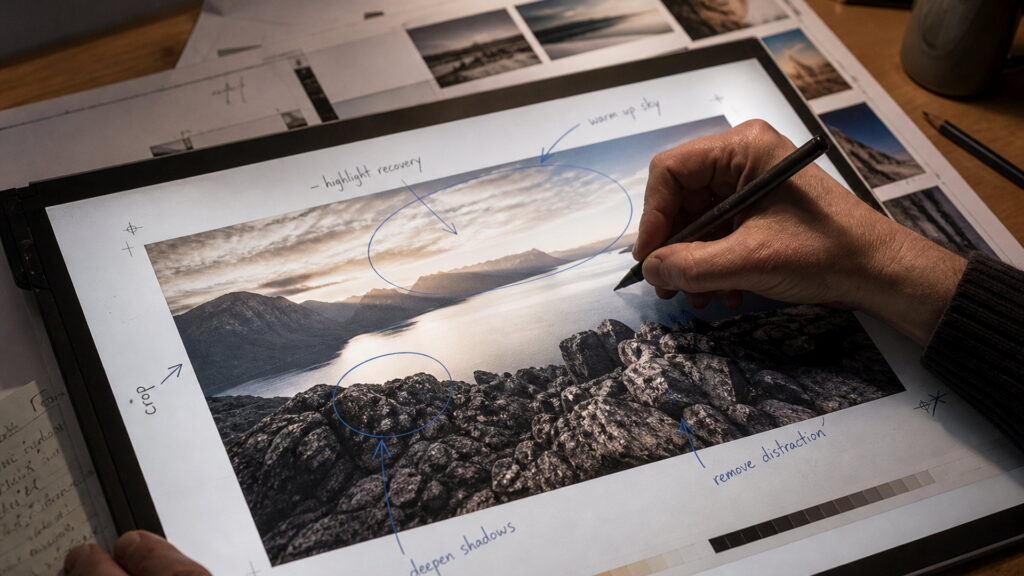
The more useful addition is markup. Adobe says you can draw on an image to show the assistant what to change without typing a prompt. Users can “select areas to recolor, sketch arrows to indicate position, or brush in rough shapes to suggest new elements,” the company said, according to The Verge. That is closer to marking up a proof than it is to chatting with a model.
Adobe is also updating Instruct Edit with Masks, which lets you edit a mask in natural language. Firefly Image 5, Adobe said, now understands the full context of an image, so you do not have to mark every region by hand. The Verge’s examples from Adobe include opening closed eyes or placing a hat on someone’s head.
The new view is optional. Classic Photoshop remains. Adobe’s bet is that grouping generative tools in one pane, and letting people point at a problem instead of describing it, will get more of those features used. The Verge framed the release as Adobe adding more AI to Photoshop, with the prompt editor, background remover, and image extender sitting in that new toolbar alongside markup.
This is not a new model announcement. It is a packaging and control change: Firefly Image 5, a cleaner door, and a way to steer the model with a scribble. For production work, the open question is how much of the result you still want to inspect by hand.
You can now tell Photoshop what you want by drawing on the picture. Plenty of people have been doing that on a printout for years. Adobe just wired the scribble to Firefly.